Pokémon Survivor Burst: How to Play, Game Modes & Best Tips
Learn how to play Pokémon Survivor Burst, survive enemy waves, master Burst attacks, evolve Pokémon, and unlock new modes with beginner tips.
Quick Answer
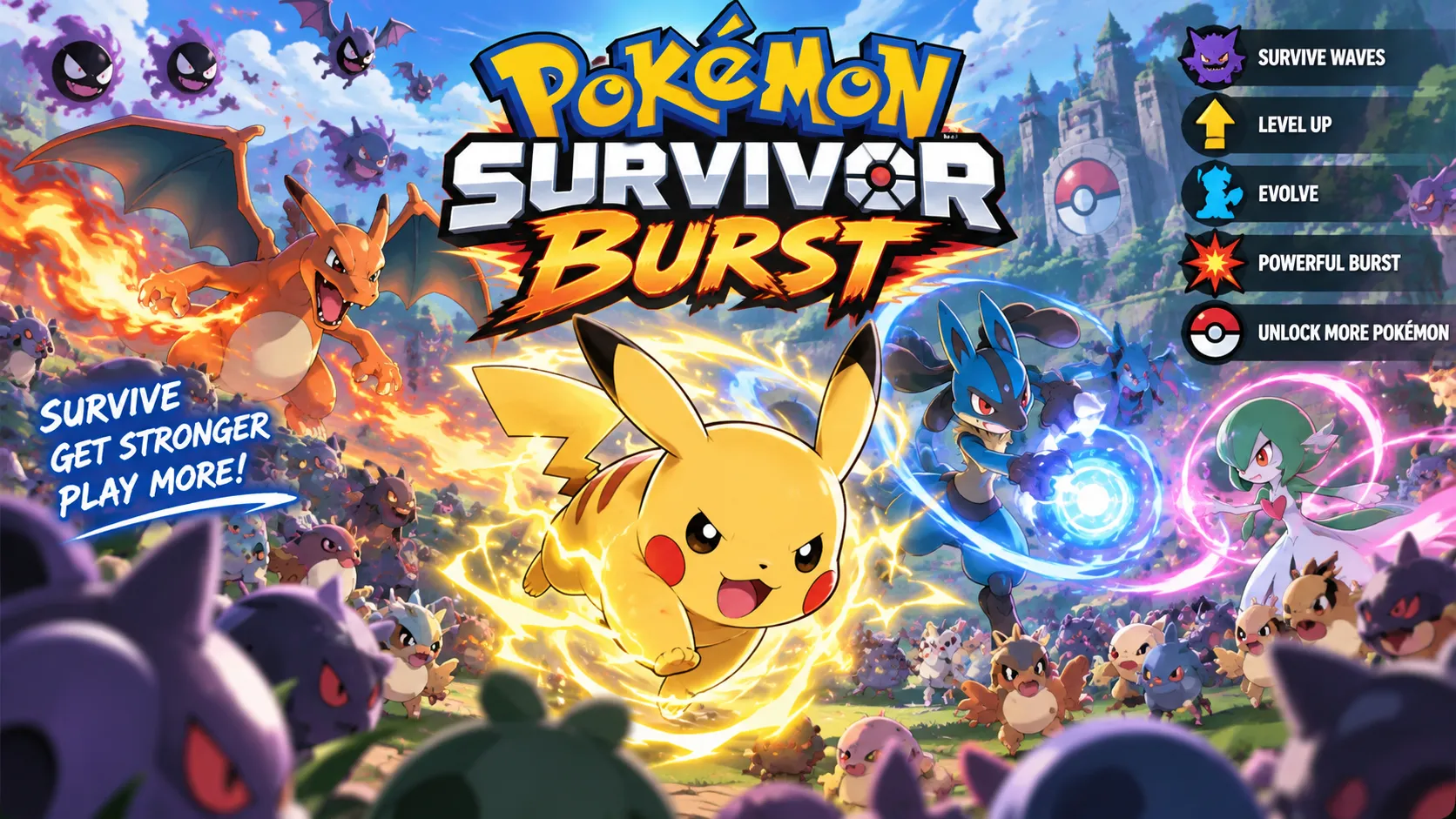
Pokémon Survivor Burst is a free, single-player Pokémon survival roguelite inspired by Vampire Survivors. Choose a Pokémon, move around the battlefield while attacks fire automatically, defeat waves of enemies, collect experience, and build increasingly powerful combinations of moves, passive abilities, and Burst attacks.
The best way to begin is to select Classic Mode, where the main objective is to survive 15 minutes. Keep moving, choose upgrades that complement your Pokémon's abilities, and save your powerful Burst attack for dangerous enemy groups or bosses.
Important: Pokémon Survivor Burst is a standalone downloadable fangame, not a browser game, Pokémon ROM hack, or official Nintendo release. Download it from the creator's Eevee Expo page.
What Is Pokémon Survivor Burst?
Pokémon Survivor Burst is an unofficial Pokémon fangame developed by ClessioTV and originally released on August 23, 2026. It combines familiar Pokémon characters, attacks, and evolutions with the fast-paced survival mechanics popularized by Vampire Survivors.
Instead of exploring routes and participating in traditional turn-based Pokémon battles, players control one Pokémon directly while increasingly large groups of enemy Pokémon approach from different directions.
Your Pokémon attacks automatically, allowing you to concentrate on dodging, collecting experience, selecting upgrades, and finding a safe path through the battlefield.
The game includes several progression systems:
- Playable Pokémon: Unlock additional Pokémon by completing specific in-game challenges.
- Automatic Attacks: Your selected Pokémon performs its attacks while you move.
- Passive Abilities: Receive effects that improve survival, damage, or other combat attributes.
- Multiple Moves: Add attacks and combine them into effective builds.
- Burst Attacks: Unleash powerful special abilities at critical moments.
- Pokémon Evolutions: Evolve your Pokémon during a run to strengthen your character.
- Permanent Upgrades: Use the Kecleon Shop to improve future runs.
- Leaderboards: Compare scores and performances with other players.
Version 9.0 expanded the game with Generation 9 Pokémon, additional attacks and abilities, new bosses, equipment, and Seasonal Challenge Mode. The developer's October 2026 release information lists more than 88 playable Pokémon.
How to Play Pokémon Survivor Burst
Step 1: Download and Start the Game
Open the official Pokémon Survivor Burst release thread and choose the appropriate download.
Windows is the most straightforward platform for new players. The developer also provides macOS and mobile download options, although compatibility varies. Some macOS installations may require Wine, and the mobile version is not guaranteed to work correctly on every device.
Launch the game and open the Pokémon selection screen.
Step 2: Choose Your Starting Pokémon
Select an available Pokémon and inspect its starting statistics, attack, and passive ability using the Details option.
For example, Mudkip is a useful beginner choice because its documented starting kit includes:
- Water Pulse: A water-based attack that creates bouncing projectiles.
- Damp Recovery: A passive ability that helps restore health.
This combination provides offensive coverage and additional survivability. However, Mudkip is not mandatory; players can experiment with other available Pokémon to discover a preferred combat style.
Choose Classic Mode for your first attempt.
Step 3: Move, Dodge, and Defeat Enemies
Use the arrow keys on a keyboard or the directional pad on a compatible controller to move your Pokémon.
Your regular attacks activate automatically, so you do not need to repeatedly press an attack button.
Enemies approach from different directions. Move around them, avoid incoming projectiles, and prevent large groups from surrounding your character.
A reliable early-game movement pattern is to travel in wide circles or curved paths. This encourages pursuing enemies to gather into a group behind you instead of forming a wall around your Pokémon.
Defeated enemies provide experience pickups. Collect them when a safe route is available to accelerate your leveling.
Step 4: Choose Upgrades and Build Your Pokémon
As your Pokémon gains experience, level-up opportunities allow you to choose additional attacks, passive bonuses, and other improvements.
The objective is not simply to collect as many unrelated attacks as possible. Choose abilities that work together.
For example, a build with strong bouncing projectiles can benefit from improvements that help those attacks reach more enemies. If your Pokémon is taking frequent damage, defensive or recovery bonuses may offer greater value than another offensive upgrade.
Some Pokémon can evolve during a run, providing additional ways to strengthen their combat capabilities.
The game also includes reroll and ban systems that help players avoid unwanted upgrades and pursue more consistent builds.
Step 5: Activate Burst and Survive
Burst Attacks are powerful special abilities designed to provide a significant advantage during difficult encounters.
Depending on your control configuration, C, Enter, or Space can be used to activate or confirm Burst actions. The game supports remappable controls, so check the current settings and on-screen prompts.
Avoid activating Burst simply because it becomes available. It is generally more valuable when a boss approaches, enemies are densely packed, or you need to open an escape route.
Continue defeating enemies, collecting experience, and improving your build until you complete the selected mode's objective.
In Classic Mode, the goal is to survive for 15 minutes.
Pokémon Survivor Burst Controls
| Action | Controls |
|---|---|
| Move your Pokémon | Arrow keys or controller D-pad |
| Regular attacks | Automatic |
| Select upgrades | Follow the on-screen menu prompts |
| Activate Burst | Configured Burst key; C, Enter, or Space are supported |
| Increase run speed | G by default, when speed-up is available |
| Decrease run speed | F by default, when speed-up is available |
| Controller speed controls | R2/RT to increase, L2/LT to decrease |
The game supports different control configurations. Since version 8.1, Enter and Space remain available as alternatives for confirmation and Burst independently of a remapped C key.
Run speed can be set to 1x, 2x, or 3x where unlocked. Beginners should generally practice at normal speed before accelerating combat.
Pokémon Survivor Burst Game Modes Explained
Different game modes emphasize different skills. Mode availability and progression requirements depend on the selected Pokémon.
Classic Mode: Survive for 15 Minutes
Classic is the recommended starting mode. Your objective is to survive increasingly difficult waves for 15 minutes.
It provides opportunities to learn movement, understand your Pokémon's attacks, experiment with upgrades, and practice Burst timing.
Best for: Beginners, learning new Pokémon, and progressing toward additional modes.
Rush Mode: Defeat Consecutive Bosses
Rush focuses on a sequence of boss battles rather than ordinary wave survival. Players must defeat powerful opponents efficiently while keeping their Pokémon alive.
Rush becomes available for a Pokémon after that Pokémon completes Classic Mode.
Best for: Players who understand their chosen Pokémon and want to test damage output, Burst timing, and boss-fighting ability.
Tower Mode: Climb Through Challenging Floors
Tower Mode features floor-based challenges and objectives. Players advance by completing the requirements of each floor, progressing toward the boss on Floor 100.
Tower is unlocked for an individual Pokémon after completing Rush Mode with that same Pokémon.
The mode also offers progression rewards, including fragments used for permanent upgrades.
Best for: Experienced players who enjoy structured challenges and longer-term progression.
Endless Mode: Push Your Build Further
Endless Mode is designed for extended survival against increasingly demanding enemy waves.
It includes its own upgrade economy and offers opportunities to test how well different attacks, passive abilities, and Burst combinations scale over time.
Best for: Players who want extended runs, score chasing, and powerful late-game builds.
Advanced Challenges and Seasonal Content
Later updates introduced additional systems, including Breach, Titan encounters, seasonal progression, and Seasonal Challenge Mode.
Version 9.0 also added a Generation 9 Rush route with Paradox Pokémon and legendary encounters, alongside new seasonal rewards and customization options.
These systems give experienced players more objectives after becoming comfortable with the standard survival modes.
Best Pokémon Survivor Burst Tips for Beginners
1. Keep Moving Instead of Standing Still
Standing still allows enemies to surround you from multiple directions.
Try moving in broad circles while keeping a clear escape route. Change direction before a large enemy group blocks your path.
When the screen becomes crowded, prioritize surviving over collecting every experience pickup.
2. Choose Upgrades That Complement Each Other
A strong build generally combines reliable damage with enough survivability to handle later waves.
Think about what your Pokémon already does well. A projectile-focused Pokémon benefits from effects that improve attack coverage, while a character struggling to escape enemy groups may need more defensive support.
Use rerolls and bans when available instead of repeatedly selecting upgrades that do not fit your build.
3. Save Burst for Dangerous Situations
Burst is most useful when it changes the outcome of a fight.
For example, imagine several groups of enemy Pokémon closing in while a stronger enemy blocks the path ahead. Activating Burst at this moment may eliminate threats or create enough space to escape.
Using the same ability against two weak enemies in an otherwise empty area wastes much of its potential.
4. Collect Experience Without Taking Unnecessary Damage
Experience is essential because it unlocks more upgrade opportunities.
However, rushing directly into a large enemy pack for a few pickups can end a run prematurely.
Instead, move enemies away from valuable pickups, circle around the group, and return when the area becomes safer.
5. Learn One Pokémon Before Switching Constantly
Every Pokémon has its own attacks, passive abilities, and possible progression options.
Repeating Classic Mode with the same character helps you recognize which upgrades work and how its attack patterns change during a run.
This knowledge becomes valuable when attempting Rush and Tower challenges.
6. Use the Kecleon Shop Between Runs
Kecleon's Upgrade Shop provides permanent improvements purchased with fragments earned through gameplay.
The Shop Core system allows players to develop long-term bonuses rather than relying entirely on temporary upgrades within individual runs.
Prioritize improvements that address your most common problems. If survival is consistently difficult, defensive improvements may be more useful than maximizing damage immediately.
7. Watch Enemy Projectiles Carefully
Later versions of Pokémon Survivor Burst include additional projectile-based enemies and more varied attack patterns.
Avoid focusing exclusively on nearby enemies. Watch for projectiles moving across the screen, preserve open space, and avoid trapping yourself between an enemy group and incoming attacks.
8. Do Not Rush Into Harder Modes
Completing Classic with one Pokémon unlocks Rush for that Pokémon, while completing Rush opens Tower for that same character.
These unlocks are not automatically shared across your entire roster.
A practical progression route is Classic → Rush → Tower, with Endless and advanced challenges becoming additional goals as you become familiar with the game.
9. Adjust Settings if Performance Drops
Large battles can contain many enemies, projectiles, and visual effects.
If movement becomes unresponsive or frame rates drop, review the in-game Options menu and reduce resource-intensive settings where available.
For a first run, normal game speed also makes it easier to identify enemy patterns and learn positioning.
How to Unlock More Pokémon
Pokémon Survivor Burst uses a challenge-based unlocking system rather than allowing every playable Pokémon to be selected immediately.
To unlock additional characters, complete specific objectives with Pokémon already available in your roster.
Some unlock requirements are connected to particular Pokémon, while more advanced progression systems involve additional achievements, modes, and rewards.
Check the character selection screen and relevant in-game challenge information before beginning a run. Choosing a Pokémon whose unlock objective matches your intended playstyle can make each attempt more productive.
The roster has expanded significantly through updates, including Pokémon from Generation 9 in version 9.0.
Is Pokémon Survivor Burst Free?
Yes. Pokémon Survivor Burst is a free, non-commercial fan project.
It is not an official Pokémon game and is not affiliated with or endorsed by Nintendo, Game Freak, or The Pokémon Company.
The developer distributes the game through the official community release page. Players should use those published downloads rather than unfamiliar third-party mirrors.
Can You Play Pokémon Survivor Burst Online in a Browser?
No official browser-playable version is provided in the developer's release information. Pokémon Survivor Burst is a standalone downloadable game rather than a browser-based title.
It also does not require a Pokémon ROM or a Game Boy Advance emulator. The project was developed using Pokémon Essentials 21.1 and runs as a separate application.
Windows is the simplest starting point. macOS compatibility may require additional software, and the developer warns that the mobile release has not been fully tested.
The game is single-player, although online leaderboards allow players to compare their results.
Players looking specifically for a no-download Pokémon survival experience should distinguish Pokémon Survivor Burst from similarly named browser games, such as PokéSurvivor, which is a separate project.
Who Should Play Pokémon Survivor Burst?
Pokémon fans: The game offers a different way to experience recognizable Pokémon, attacks, and evolutions outside traditional turn-based battles.
Vampire Survivors fans: Players familiar with automatic attacks, enemy swarms, upgrade combinations, and survival-focused progression will recognize the core gameplay immediately.
Roguelite enthusiasts: Repeatable runs, unlockable characters, permanent upgrades, and build experimentation provide meaningful reasons to keep playing.
Challenge-focused players: Boss encounters, Tower progression, Endless runs, seasonal objectives, and leaderboards offer goals beyond simply completing the beginner mode.
The game may be less suitable for players primarily seeking Pokémon catching, exploration, a traditional story campaign, or competitive multiplayer battles.
Final Take: Is Pokémon Survivor Burst Worth Playing?
Pokémon Survivor Burst is worth trying for players who enjoy Pokémon and fast-paced survival roguelites. Its strongest feature is the combination of recognizable Pokémon abilities with an evolving combat build that becomes more powerful throughout each run.
Automatic attacks make the basic controls accessible, but surviving later waves requires thoughtful positioning, good upgrade decisions, and careful Burst timing. Additional modes and unlockable Pokémon provide depth beyond the first few attempts.
The main limitation is accessibility: this is a standalone fangame, not a one-click browser game, and compatibility can vary by platform.
For the best introduction, choose a starter Pokémon, complete Classic Mode, learn how its Burst attack works, and then progress to Rush and Tower.
Ready to survive your first Pokémon swarm? Visit the official Pokémon Survivor Burst release page to get the game and begin your first run.