Word Finder: The Ultimate Guide to Word Search Puzzles
Master word finder (word search) puzzles with rules, strategies, tips, and the best online solvers. Learn how to spot hidden words fast and use powerful helper tools.
Quick Answer
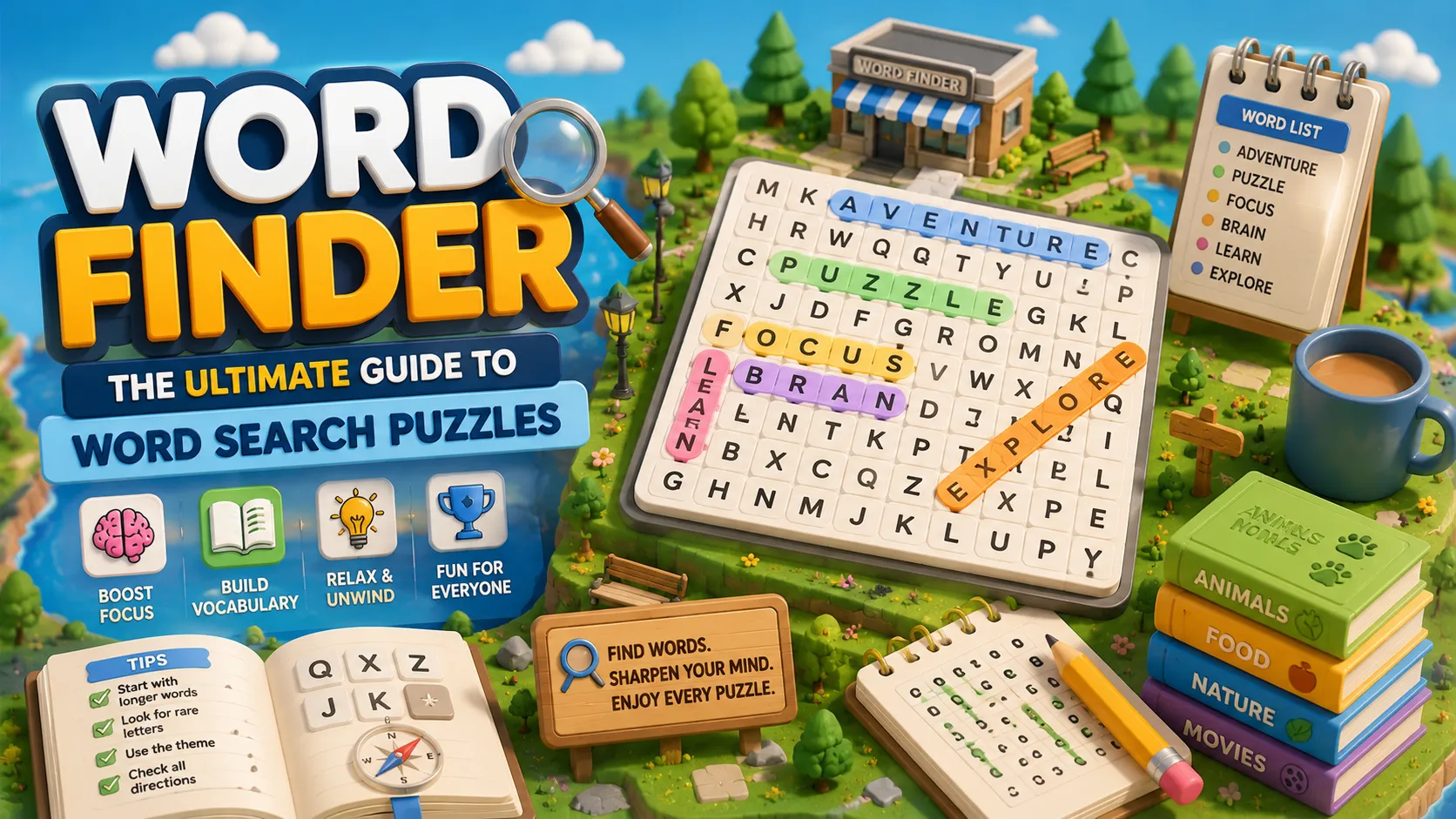
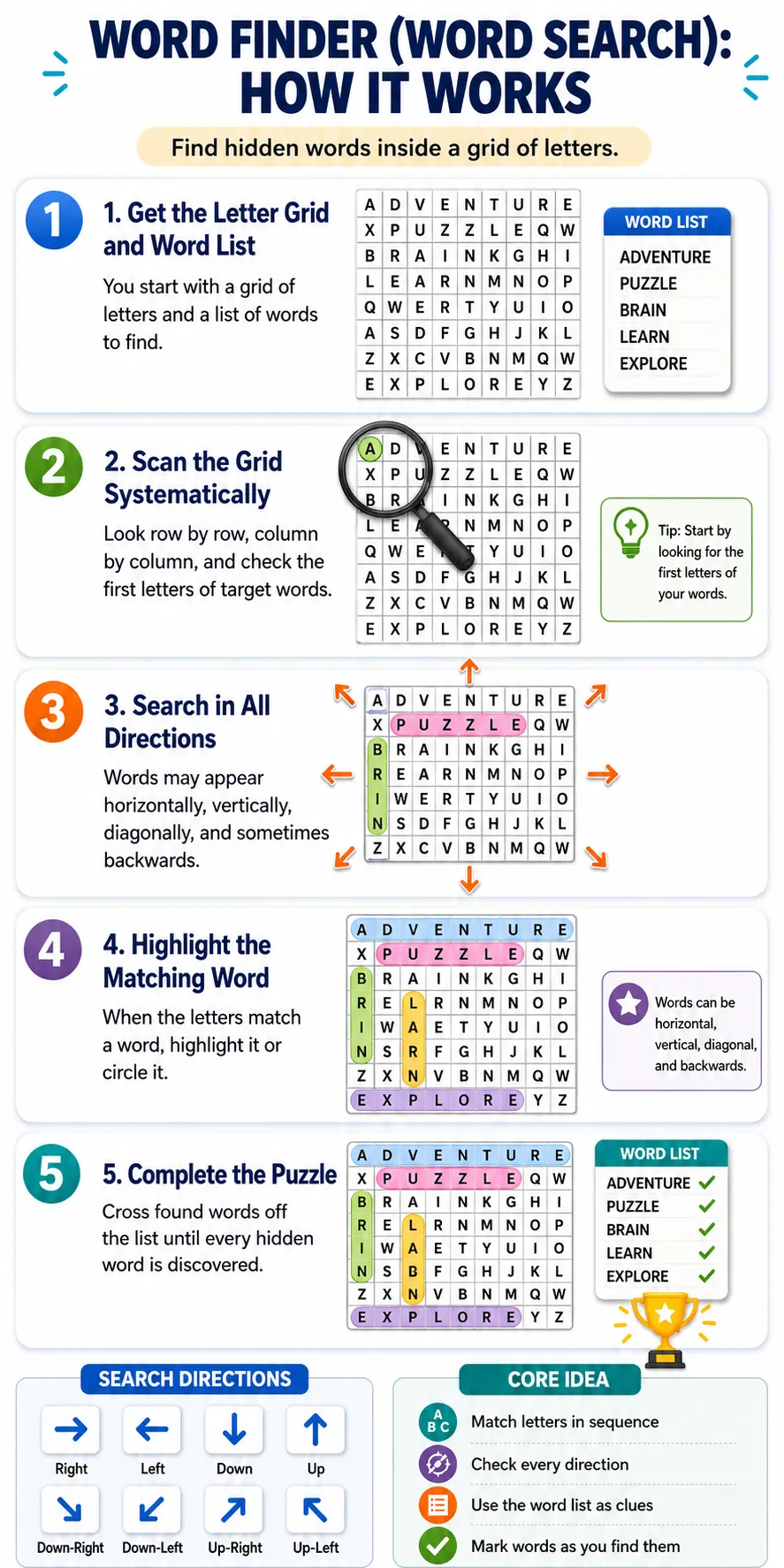
Word Finder, also known as Word Search or Word Find, is a classic puzzle where you scan a grid of letters to locate hidden words from a given list. Words can hide horizontally, vertically, diagonally, and sometimes backwards. It's relaxing, mentally stimulating, and perfect for quick daily sessions.
What Is It?
Word Finder games give you a letter grid and a themed word list (animals, food, movies, etc.). Your goal is to find and highlight every word hidden in the grid.
- Why it stands out: Zero pressure, endless variety, and excellent for building vocabulary and pattern recognition. Unlike Wordle, you can take your time and there's no guessing limit.
- Difficulty range: Easy puzzles use straight lines and common words. Hard modes hide words diagonally, backwards, or remove the list entirely.
- Who it's for: Casual players, students, seniors, or anyone wanting a low-stress brain break. Works great on mobile, desktop, or paper.
How To Use
- Scan systematically — go row by row or column by column.
- Spot the first letter of any word from the list.
- Trace directions — right, left, up, down, or diagonal.
- Mark the word by dragging (online) or circling (print).
- Cross it off the list and move to the next.
Online versions usually let you click and drag to select words. Finish when all listed words are found.
Tips
- Start with longer words — they’re easier to spot and clear big sections of the grid.
- Focus on rare letters like Q, X, Z, or J to limit possible directions.
- Use themes to your advantage (e.g., expect animal names like LION or ELEPHANT).
- Look for common patterns: endings like -ING or -ED, and doubled letters.
- In expert modes without a list, watch for letter clusters that form real words.
Best Word Finder Tools
When you get stuck or want to practice faster, these tools are extremely helpful:
- wordfind.org — Excellent letter unscrambler and Word Finder. Great for Scrabble, Wordle, or when you have leftover letters. Supports wildcards, filters by length, and shows Scrabble/Words with Friends scores.
- PuzzleSolver.io Word Search Solver — Best for photo upload. Snap a picture of a printed puzzle and it highlights all hidden words instantly.
- WordFinderx.com — Very clean and powerful unscrambler with advanced filters.
- Word Search Labs — Best site to create and play your own custom puzzles for free.
These tools make the game more enjoyable whether you want to solve faster or generate new puzzles.
Final Take
Word Finder is a timeless, accessible puzzle that delivers pure satisfaction through pattern spotting. It’s less competitive than Wordle but more meditative and relaxing. Whether you play casually or use helper tools when stuck, it’s an excellent daily brain exercise.
Highly recommended for anyone who enjoys classic word games. Start with free puzzles on Word Search Labs or RazzlePuzzles and keep the solvers handy for tough ones.