What Is Connections Copilot?
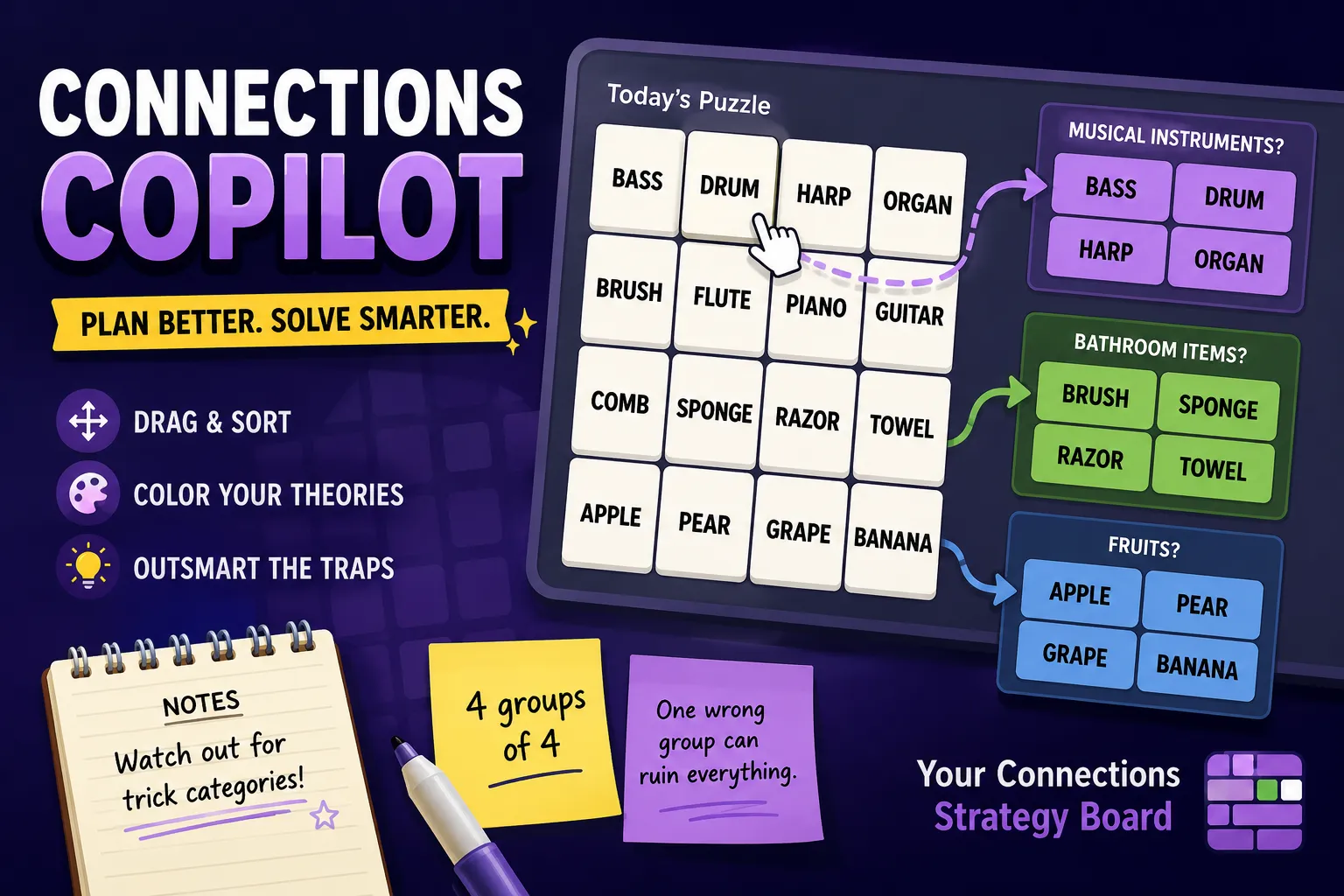
Connections Copilot is a planning helper for NYT Connections-style puzzles. It is not a replacement for the official game. Instead, it gives you a separate space to organize the 16 words, test possible groups, mark tiles with colors, and think through the puzzle before you submit anything.
In Connections, many mistakes happen before the first guess. A category may look obvious, but one word might belong somewhere else. A fake group can contain three convincing words and one trap. Connections Copilot helps you slow down, move words around, and compare different theories before committing to a final answer.
Think of it as a drag-and-drop puzzle board for players who want to solve more carefully, avoid rushed guesses, and protect their daily streak.
How Connections Copilot Works
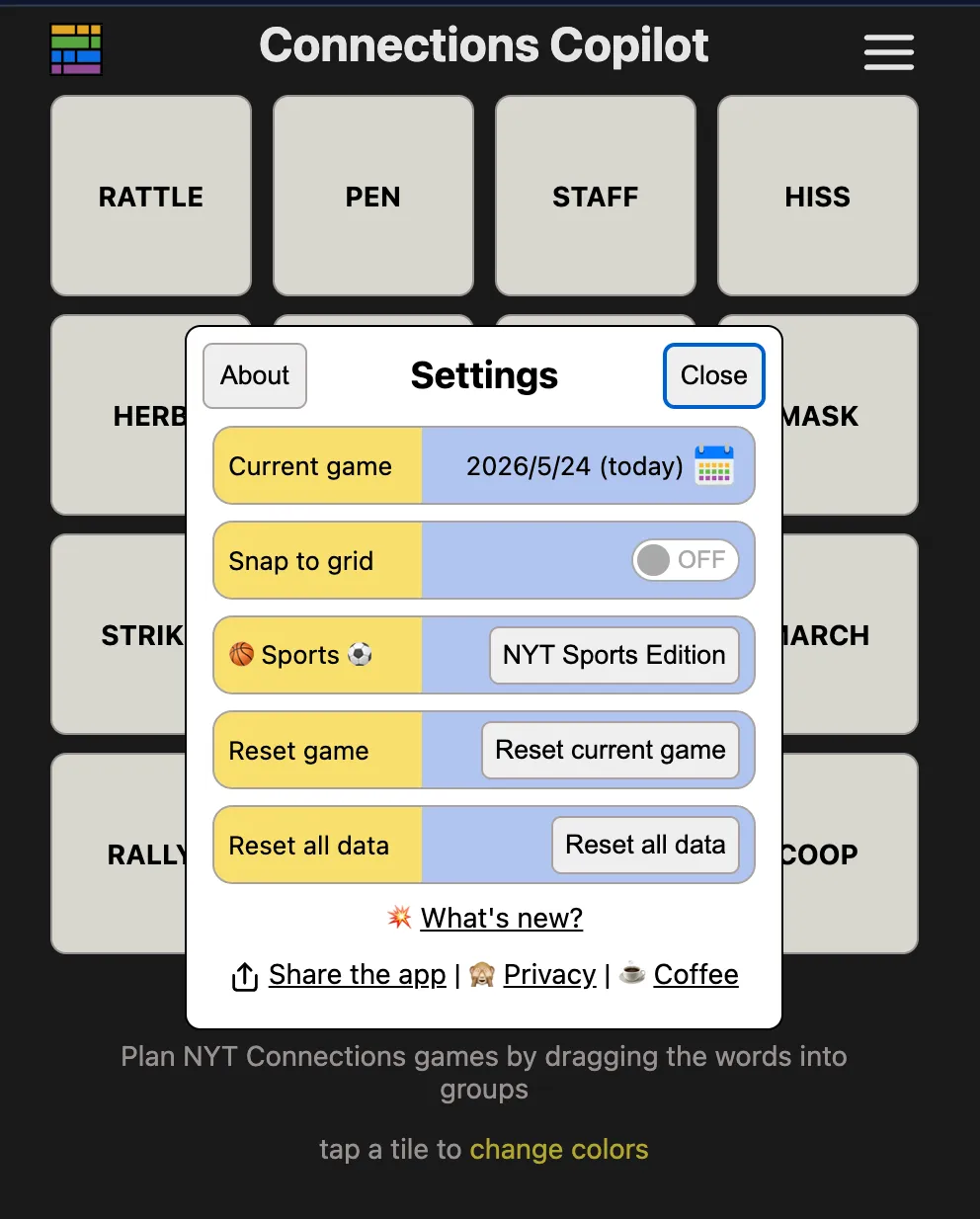
Connections Copilot works like a strategy board for Connections-style word puzzles:
- You enter or load a set of 16 words.
- You drag words into possible groups of four.
- You tap or mark tiles with colors to track your theories.
- You rearrange the board as many times as needed.
- You test different group ideas without using official guesses.
- When you feel confident, you return to the actual Connections game and submit your answer there.
The important point is that Connections Copilot helps with planning. It does not automatically solve the puzzle for you, and it does not replace the official submission board. You still need to spot the real categories yourself.
Connections Copilot Game Rules
Connections Copilot is built around careful sorting and visual thinking:
Move the words freely
Drag tiles around the board to test possible groups without penalty.Build possible groups of four
Try arranging words that seem connected, then check whether the connection is exact enough.Use colors to track ideas
Mark words by confidence level, category theory, or danger zone.Break weak groups apart
If a group feels too broad, move one word out and test a better fit.Submit only in the official game
Connections Copilot is for planning. Your real guesses still happen in the official Connections puzzle.
How To Play Connections Copilot
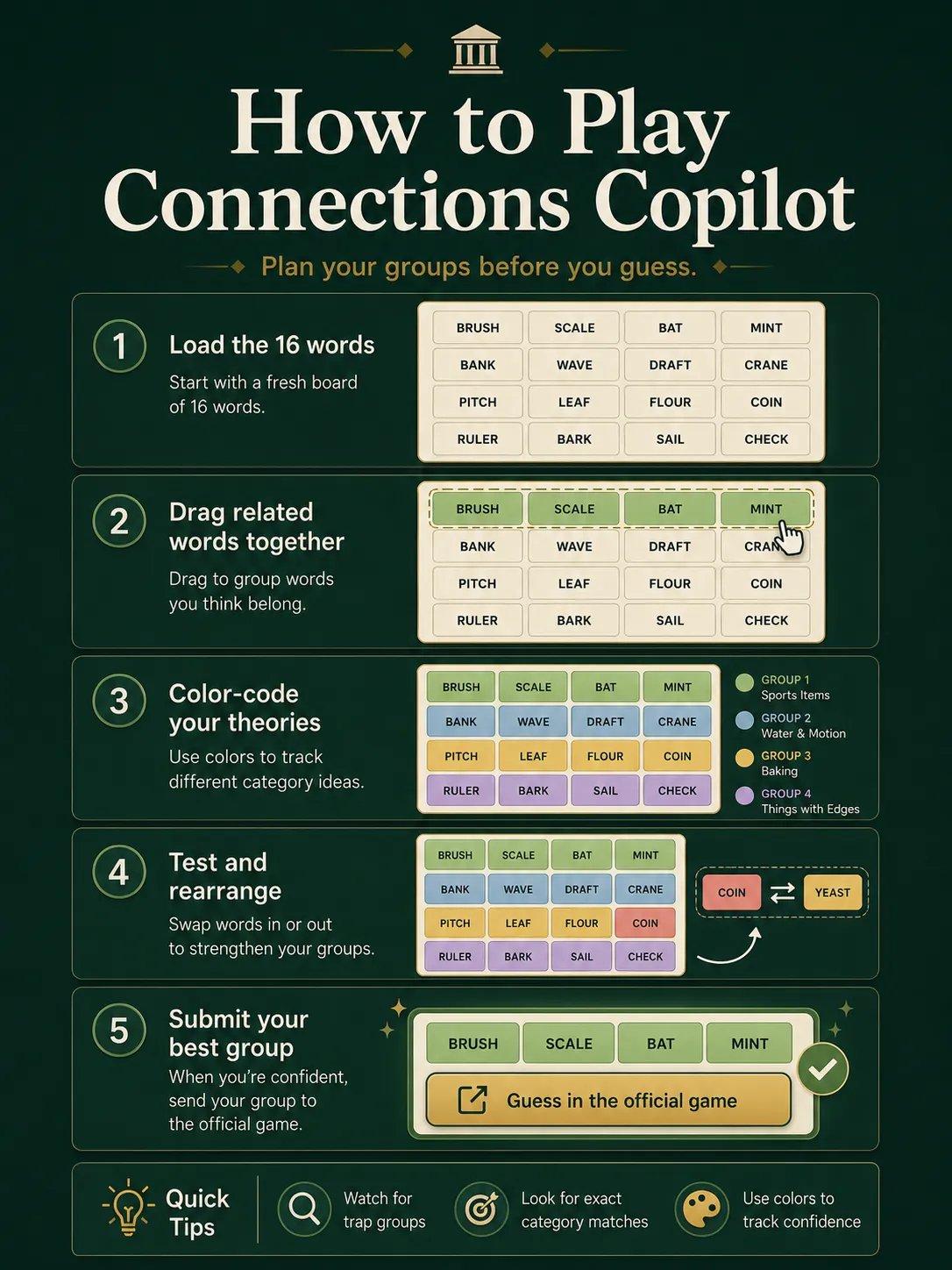
Step 1: Open the Planning Board
Start with the 16 words from a Connections-style puzzle. Instead of staring at a fixed grid, you now have a flexible board where every word can be moved.
Step 2: Sort the Obvious Words First
Drag four words that seem related into one area. Do not submit them immediately. Ask whether all four words share the same exact category, not just a loose theme.
For example, four words may all feel music-related, but one of them could also fit a body part, a sports term, or a hidden phrase.
Step 3: Color-Code Your Theories
Use colors to mark different levels of confidence. One color can mean “almost certain,” another can mean “possible,” and another can mean “suspicious.” This makes the board easier to read when several categories overlap.
Step 4: Test Replacements
If a group has five possible words, the category is probably too broad. Move one word out, bring another in, and look for a tighter connection. The safest group is usually the one where all four words match the same specific logic.
Step 5: Return To The Official Puzzle
Once you have a strong group, go back to the official Connections game and submit your answer there. Connections Copilot helps you make that guess with more confidence.
Why Connections Copilot Is Useful
Connections is difficult because many words can point in several directions at once. A word might be a noun, a verb, a brand, a sound, part of a phrase, or a clue to a hidden category. The hardest puzzles often include bait groups that look correct until one word breaks the pattern.
Connections Copilot helps by giving you a visual way to compare ideas. Instead of keeping every possible category in your head, you can move tiles around and see which groups actually hold together.
It is especially useful when:
- You see several possible categories at once.
- A word seems to fit more than one group.
- You want to avoid wasting early guesses.
- You are stuck between two similar theories.
- You want to solve carefully without jumping to the first obvious answer.
Strategy & Tips
- Do not trust the first obvious group. Connections often uses tempting words to create fake categories.
- Look for exact category language. “Things in a kitchen” is weaker than “types of knives.”
- Use colors consistently. Mark strong groups, weak groups, and uncertain words in different colors.
- Watch for overlap. If one word fits two groups, pause before guessing.
- Save strange words for later. Odd or awkward words often point toward the trickiest category.
- Rebuild the board often. The value of Connections Copilot is movement. If your layout feels stuck, rearrange everything and look again.
Who Should Use Connections Copilot?
Connections Copilot is best for players who enjoy NYT Connections but want a calmer way to plan their guesses. It is useful for daily players, streak protectors, puzzle fans, and anyone who likes solving through logic rather than rushing.
It is not designed for players who simply want instant answers. The tool works best when you still want to solve the puzzle yourself, but with a better workspace.
Connections Copilot FAQ
Is Connections Copilot the official NYT Connections game?
No. Connections Copilot is a separate planning helper for Connections-style puzzles. You still submit your final guesses in the official game.
Does Connections Copilot give the answers?
No. Connections Copilot helps you organize and test ideas, but it does not automatically solve the puzzle.
What is Connections Copilot used for?
It is used to drag, sort, group, and color-code words before making official guesses in a Connections-style puzzle.
Is Connections Copilot useful for daily Connections?
Yes. It can help you avoid rushed guesses, compare possible categories, and protect your streak.
Is Connections Copilot cheating?
It depends on how you use it. If you use it only as a planning board, it is more like taking notes. It does not reveal the answers by itself.
Final Take
Connections Copilot is a smart companion for players who want to solve Connections-style puzzles more carefully. It gives you room to drag words, test theories, mark uncertainty, and avoid obvious traps before using your official guesses. If you enjoy NYT Connections but often wish you had a better workspace, Connections Copilot is worth trying.