
What Is StreetSeekr?
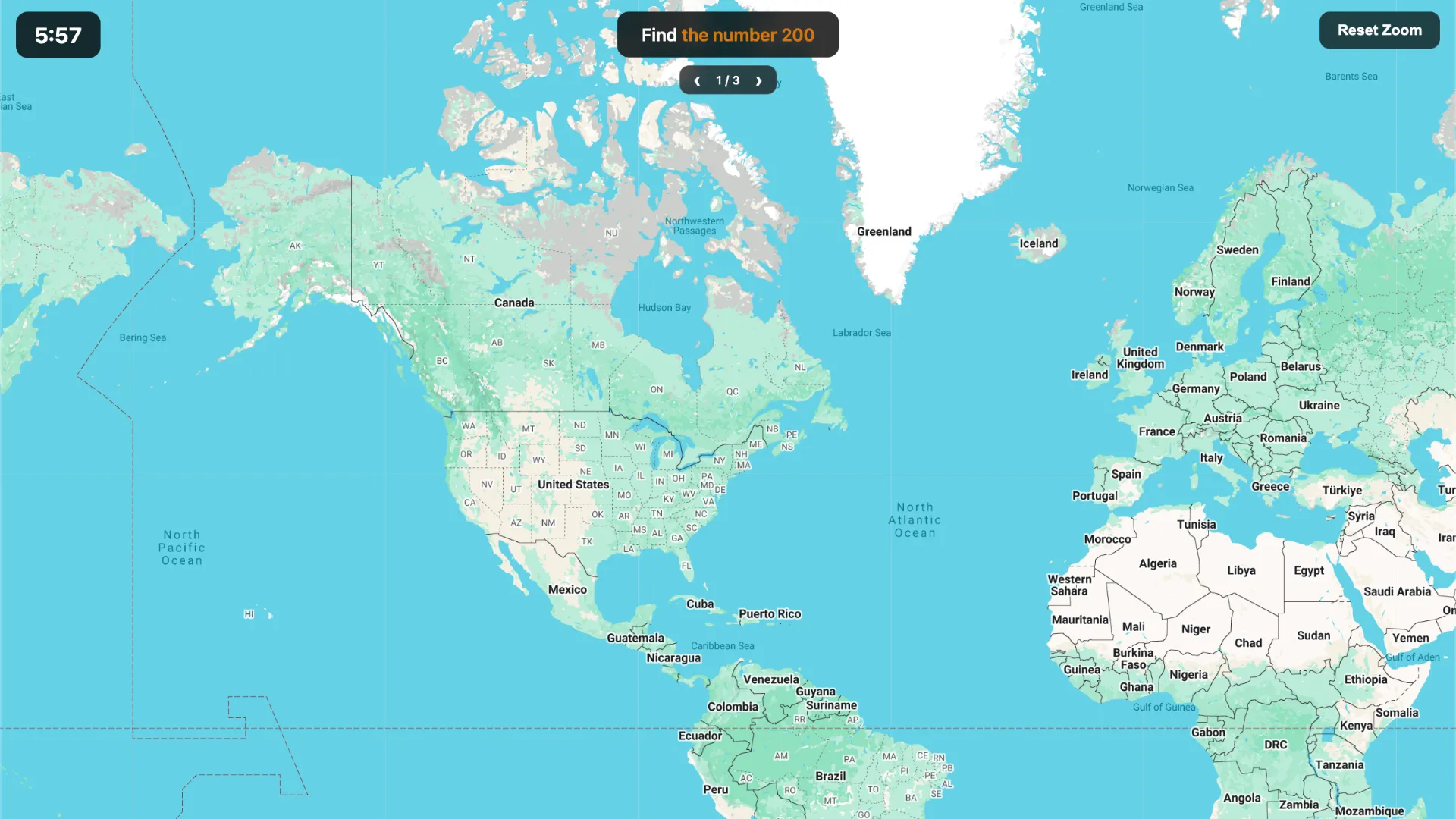
StreetSeekr is a daily geography scavenger hunt played through Google Maps and Street View. Instead of being dropped into an unknown location and guessing where you are, you are given something to find somewhere in the world. Each Daily Hunt contains three targets, and you have six minutes to complete as many as possible.
The targets can be ordinary objects, people, vehicles, landmarks, or other things that might appear in Street View. The challenge is deciding where that target is likely to appear, jumping into Street View, and locating a clear example before time expires.
Rules and Core Twist
A Daily Hunt has three rounds, with one target in each round. You can attempt the targets in any order and return to a difficult one later. Every successful target is worth one point, so a perfect daily score is 3/3.
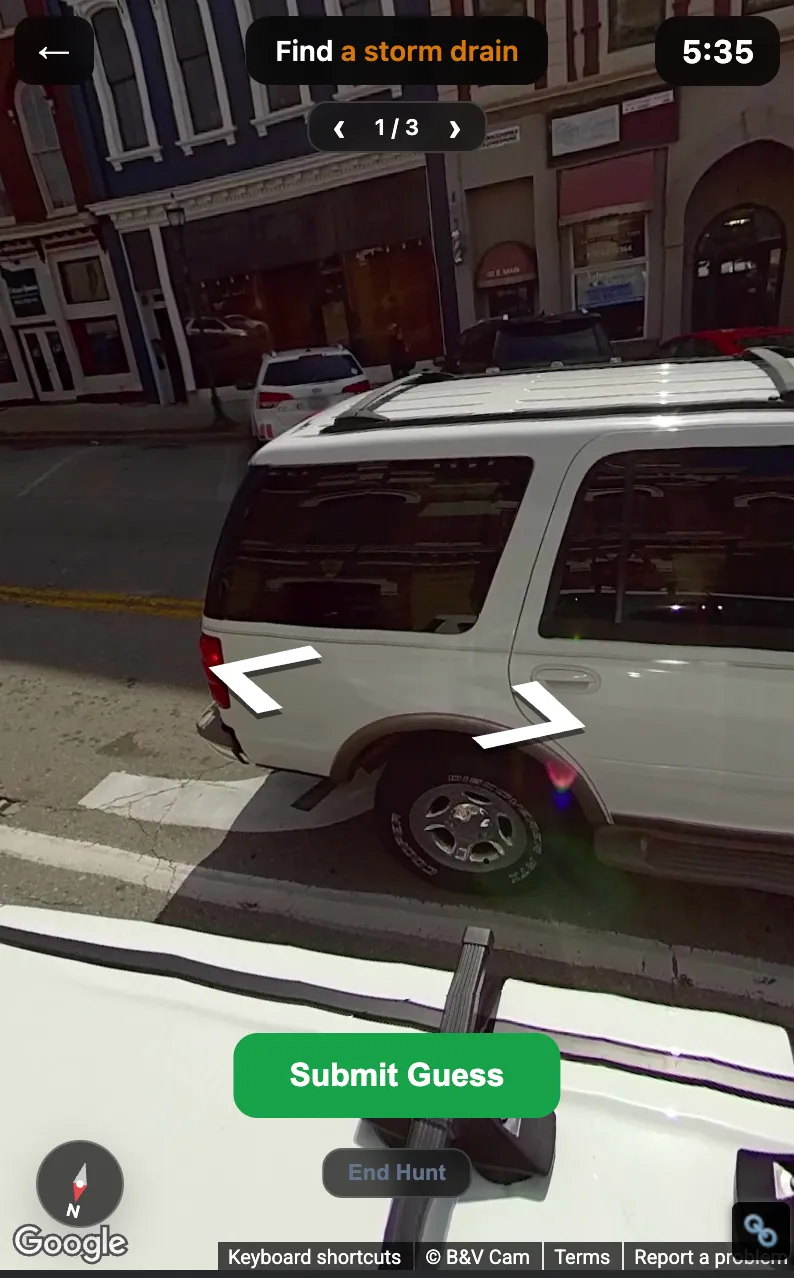
The unusual part is that you do not simply click a location on the map. You must enter Street View and position the camera so the requested target is clearly visible. When you submit the view, an AI judge checks the Street View image and decides whether it satisfies the challenge.
For example, if the target is an airplane, searching around airports is a sensible starting point. Finding an airport is not enough, though—you need a Street View angle where an airplane can actually be seen clearly. A distant or ambiguous object may be rejected even when you are searching in the right place.
How to Play StreetSeekr
- Check the three targets. Look at what today's hunt asks you to find and start with the target that gives you the clearest idea of where to search.
- Search the world map. Pan and zoom to a promising area. Beaches, airports, city centers, rural roads, stadiums, and other environments can make sense depending on the target.
- Enter Street View. Drag Google's yellow Pegman onto blue Street View coverage, then move along the road and rotate the camera while looking for the requested object or scene.
- Submit a clear view. Once the target is plainly visible, submit the Street View scene. The AI judge evaluates what is visible in the image and marks the round as found when it accepts the submission. Repeat for the remaining targets before the six-minute timer ends.
If a submission is rejected even though the target appears clearly visible, StreetSeekr also provides a dispute option that sends the view to a separate AI judge for another review.
Strategy Tips
- Think about environments before places. For an airplane, start with airports; for something related to fishing, investigate waterfronts or harbors. The goal is to maximize the chance that Street View actually contains the target.
- Prioritize easy targets. Because all three rounds share the same timer, securing obvious finds first can be better than spending most of the game stuck on one difficult target.
- Make the submission unmistakable. Move closer, rotate the camera, or try another panorama if the target is tiny, blurry, obstructed, or difficult to distinguish.
- Use Street View coverage strategically. A promising real-world location is only useful when Google has suitable Street View imagery there.
- Remember that recognition matters. You are searching for a view that clearly demonstrates the target, not merely a location where the target probably exists.
StreetSeekr also includes community-created Custom Hunts and location-based Riddles, but the Daily Hunt is the main repeatable mode: three targets, one shared timer, and a new scavenger hunt each day.